Blog · Google for holiday rental hosts
Apartments on Google without a Business Profile: what Google allows, why profiles get suspended and how to reach guests anyway
Many hosts open a Google Business Profile for their apartments, collect reviews and one day lose it. The reason is not a Google glitch but a rule few people read. Here is that rule explained simply, together with the route by which an apartment does reach Google, without breaking the rules and without commission on direct bookings. Written for hosts in Croatia.
 By Boris Capić, founder of Digital MomentumPublished 8 min read
In short
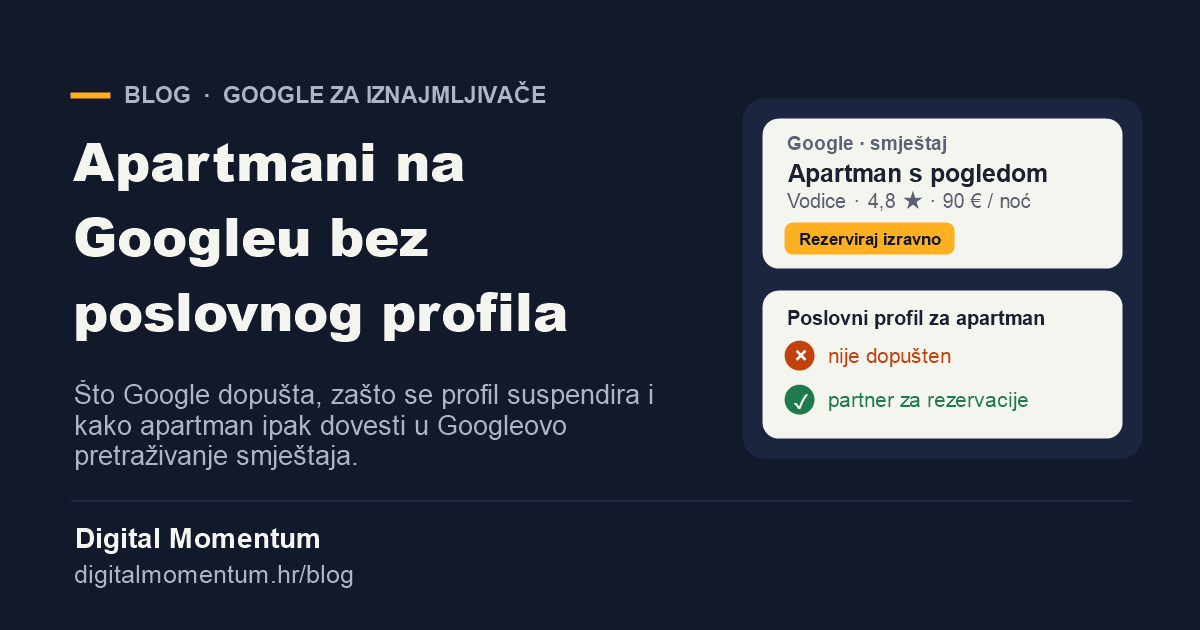
- A Google Business Profile, the one with a pin on Maps, is not allowed for apartments and holiday homes. Google explicitly lists rental properties as ineligible.
- A profile opened against the rules can be suspended, and its reviews go with it.
- A profile may belong to a business that receives guests at its premises during stated hours: an agency, a property manager, a hotel, a guesthouse with a reception, a restaurant.
- An apartment reaches Google through Google's holiday rental search (Google Vacation Rentals), fed by a calendar and booking partner.
- Google takes no commission on direct bookings through free booking links. You pay the partner's subscription.
What Google's rule says
A Google Business Profile is meant for businesses that have in-person contact with customers: the customer comes to their premises, or they go to the customer. Google's eligibility guidelines therefore list what cannot have a profile, and among the examples are rental or for-sale properties such as vacation homes, model homes and vacant apartments. Sales or leasing offices, on the other hand, can be verified.
The logic is simple. A profile on Maps promises that someone can come to the address and be served. A hotel with a reception meets that promise. An apartment without a reception does not, because a guest cannot knock on the door and ask for a room for the night.
Who may have a Business Profile and who may not
| Type of property | Business Profile | How to reach Google |
|---|---|---|
| Apartment or holiday home rented out in the household | No | Google's holiday rental search through a booking partner |
| Agency or property manager with an office that receives guests | Yes, for the business | A profile for the office, individual apartments through a partner |
| Hotel, guesthouse or hostel with a reception | Yes | A profile and Google's hotel search |
| Campsite with a reception | Yes | A profile for the campsite |
| Restaurant or konoba next to the apartments | Yes, for the restaurant | A restaurant profile, apartments separately through a partner |
There are borderline cases, such as a family guesthouse where the owner genuinely welcomes guests during opening hours. We check such cases one by one, based on what actually happens at the address, not on what the property is called.
What happens if you open a profile anyway
A profile for an apartment often gets created at first and works for a while. The problem comes later. Google re-checks profiles from time to time, and any user or competitor can suggest an edit or report a profile. Once Google finds that the property is ineligible, the profile is suspended.
- Reviews disappear from view. Years of ratings are no longer shown to guests.
- Reinstatement is hard, because the reason for the suspension is still there.
- You lose time in season, when visibility is worth the most.
That is why we do not open ineligible profiles for clients, even though it would look like a quick win in the short term.
Google's holiday rental search: the route for apartments
When a guest searches Google for "apartments Vodice" or "Ferienwohnung Primošten", besides ads and Maps they see Google's accommodation search, where they compare properties by price, dates, photos and ratings. For holiday homes and apartments this part of Google is called Google Vacation Rentals, and it appears in Search, on Maps and in Google Travel.
The host does not enter data into it directly. It comes from partners approved by Google: calendar and booking systems (channel managers) and platforms. Approved partners include, for example, Beds24, Lodgify, Rentals United, Octorate and Kross Booking. Only large managers with many properties connect to Google directly.
| Route to Google | Where the guest books | Commission |
|---|---|---|
| Booking or Airbnb only | On the platform | Yes, to the platform |
| A calendar and booking partner with your own booking page | On your website | None to Google; a subscription to the partner |
| Paid ads on Google | On your website | You pay per click or per booking, as you choose |
Your property probably already appears on Google through Booking or Airbnb, but every such booking carries their commission. The point is to have your own link next to them, at your price, where the guest can book directly.
Six steps to direct guests from Google
- Check your property's status. Renting out in the household without a reception means no Business Profile. An agency with an office or a hotel with a reception can have one.
- Choose a calendar and booking partner. It must be on Google's partner list and sync the calendar with Booking and Airbnb, so there are no double bookings. If you already use such a system, check whether it is a Google partner.
- Set up your own booking pages. Each apartment needs its own page with photos, prices, a calendar and direct booking or an enquiry form, in your guests' languages.
- Connect the partner to Google and check that the booking button leads to your website, not to a platform.
- Collect reviews. After check-out, send the guest a short message asking for a rating. Ratings are shown to guests comparing properties.
- Measure. Tag links from Google so the report shows how many enquiries and bookings come from Google and how many from platforms.
If you show prices on your own website in Croatia, from 17 November 2026 they must come with an anchor price, and the site must publish a CSV or XML price list. The details are in our anchor price guide.
Mistakes we see with hosts
- A Business Profile opened at the house address, with the category "Hotel" or "Lodging", and no reception.
- A separate profile for each apartment in the same house.
- Opening hours set to "24 hours" at a property where nobody welcomes guests.
- Bought or swapped reviews. Google removes them, and the profile can be penalised.
- A booking page that doesn't work on a phone or has no calendar, so the guest gives up and goes back to the platform.
- A calendar that doesn't sync with the platforms, leading to double bookings.
How we handle it at Digital Momentum
For hosts we build a website with a calendar and direct enquiries, connect it to a booking partner that sends the property to Google's holiday rental search, and set up tracking so you know how many guests come directly. We also work with hosts who have no company or sole trade, and we show prices including VAT. All details and prices are on the page for holiday rental hosts.
Request a free auditor call +385 95 534 5685
Frequently asked questions
I've had a Business Profile for my apartments for years. What now?
If the property doesn't meet Google's requirements, the profile is at risk of suspension, usually at the worst possible time. Don't delete it abruptly. First set up the listing through a booking partner and your own website, record the reviews you have and assess the situation. In the free audit we look at your case.
Does my apartment appear on Google if I'm only on Booking?
Usually yes, because platforms send their listings to Google's accommodation search. But the guest then books through the platform and you pay commission. The aim is to have your own direct booking link next to the platform.
Can I list my apartment with Google directly?
No. Only large managers with many properties connect to Google directly. A host with a few apartments comes in through an approved calendar and booking partner.
Do I pay Google anything?
Google takes no commission on direct bookings through free booking links. You pay a subscription to the calendar and booking partner. You can add paid ads on Google, but you don't have to.
What about a restaurant or konoba next to the apartments?
A restaurant that receives guests during opening hours may have a Business Profile. The apartments next to it still go through a booking partner, separately from the restaurant's profile.
Sources
- Google: Business Profile eligibility and ownership guidelines
- Google: about vacation rentals on Google
- Google: vacation rentals partners
- Google for Developers: connectivity partners
This article is for information and describes Google's rules as of 30 September 2026. Google may change them, so check the sources before deciding.
Ready for more enquiries, bookings and sales?
Book a free 30-minute strategy call. No slide deck, no obligation. You leave with a clear view of what is holding your growth back and what to fix first.